
THE GAME, AT A GLANCE
About Mini Car Simulator
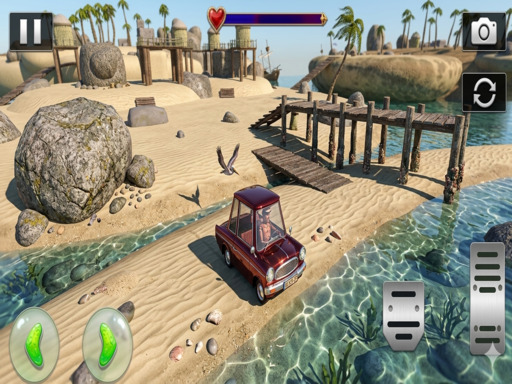
Mini Car Simulator presents driving challenges across city, forest and beach environments. Its routes use tight turns and obstacles, with on-screen steering, a booster and camera changes.
Your goal: Navigate the route and its obstacles to complete the driving challenges.
How to play Mini Car Simulator
- Use the on-screen direction buttons to drive forward, reverse and steer.
- Change the camera for a clearer view, and use the booster when you want extra speed.
Controls: Use the on-screen buttons to drive forward, backward, left and right. Tap the booster for extra speed and the camera button to change the view.
Tips for Mini Car Simulator
- Try another camera view when a turn or obstacle is difficult to judge.
- Save booster use for a section where extra speed will not complicate a tight turn.