
THE GAME, AT A GLANCE
About Smash Karts
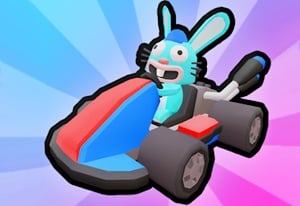
Smash Karts combines 3D kart driving with multiplayer arena combat. Drive through item boxes to collect weapons, then use them against other karts while moving around the arena. It is a battle game rather than a lap race. The Miniplay player loads Tall Team's official game, which runs as a Unity WebGL build with WebAssembly.
Your goal: Collect weapons and eliminate opposing karts while working toward the objective of your selected arena mode.
How to play Smash Karts
- Open the game and use its Play option to join a match, or choose its room controls when playing with friends.
- Drive and steer with WASD or the arrow keys.
- Drive through an item box to collect a weapon.
- Press Space to activate the weapon you are carrying. Move toward another item box when you need to rearm.
- Follow the score and remaining time shown in the match interface. Different modes can set different objectives.
Controls: Drive with WASD or the arrow keys. Press Space to use your current weapon after collecting one from an item box.
Tips for Smash Karts
- Keep track of nearby item boxes so you have a route to another weapon after attacking.
- Check which weapon you collected before firing; a dropped mine and a forward projectile need different positioning.
- Leave space to turn away from opponents instead of stopping next to a contested item box.